

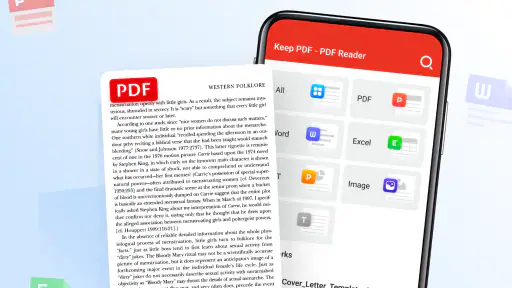
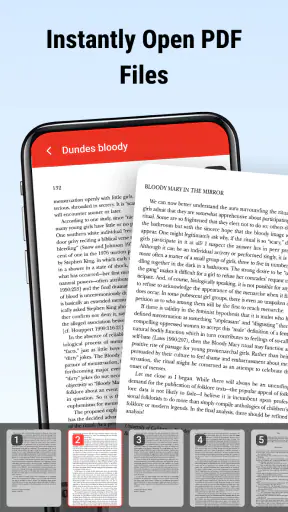
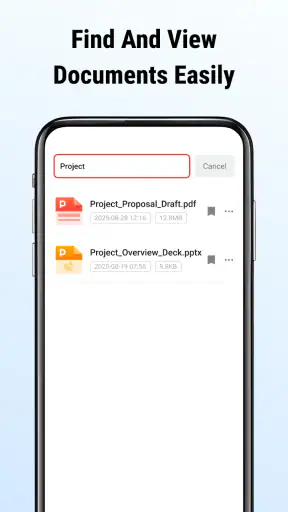
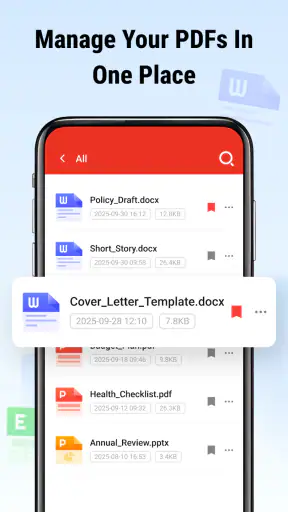
Reading a PDF on a phone sounds simple until the document arrives at the wrong moment: a contract in an email, a work brief in a chat, or a form you need to check while away from your desk. Keep PDF - PDF Reader is a free business app from Galiana Lian that focuses on that basic need. I spent time treating it as an everyday document tool rather than expecting it to replace a full office suite, and that distinction matters. Its appeal is its narrow purpose: opening and reading PDFs without turning a quick look into a complicated task.
The app has reached over a million installs and holds a 3.9 average from around two thousand ratings. Those figures suggest a useful but not universally loved reader, which matches my impression. It is easy to understand, suitable for Everyone, and available without a purchase, but a straightforward reader can still feel limited when your workflow involves editing, signing, scanning, or collaborating. My recommendation is therefore practical: try it if your main problem is getting PDFs open and readable on a mobile device, but do not mistake it for a complete document-management system.
How Keep PDF handles real-world reading
When connectivity becomes part of the experience
The most important thing to understand is that a PDF reader is often used at the boundary between online and offline work. A file may be downloaded from a browser, received through email, or shared in a workplace conversation before it appears in the app. That means the quality of the overall experience depends not only on the reader itself, but also on how smoothly the document reaches your device.
Keep PDF - PDF Reader makes sense after the file is already available to you. I found the best routine was to locate the document before starting a task, open it in the reader, and avoid treating the app as a replacement for cloud storage or a messaging service. That small change prevents a common mistake: blaming the reader when the real delay comes from a slow connection, a missing attachment, or a file that has not finished downloading.
For a workday document, this distinction is useful. If a colleague sends a policy PDF while I am connected, I can get it ready before moving to another place. If I wait until I am standing in a station or entering a meeting, the weak point may be the transfer rather than the reading screen. I would not promise a particular offline workflow without testing every file source and device setup, so I treat connectivity as something to plan around rather than assume away.
The practical strength is simplicity after the file is in reach. There is less mental overhead than opening a large office application just to inspect a few pages. That matters when I only need to confirm a clause, check a page number, or read a short brief. The trade-off is that a focused reader gives me fewer reasons to stay inside the app once reading is finished.
Why it works well on a phone
Mobile PDF reading is not just desktop reading on a smaller screen. A phone is used one-handed, in changing light, and often with interruptions. I found this kind of app most helpful for short review sessions: checking a delivery document, scanning instructions before a task, or reading a few pages while waiting for an appointment. The simple purpose keeps those moments from becoming an exercise in finding the right tool.
Longer documents require more patience. On a small display, I have to zoom, reposition the page, and keep track of where I am. That is normal for mobile PDF reading, but it changes the kind of work I would assign to the app. It is comfortable for reference and verification; it is less appealing for detailed comparison across several pages or for editing text line by line.
A useful habit is to decide what the session is for before opening a document. If I am checking one figure, I look for that information and close the file. If I am reading a full report, I use a quieter setting and avoid switching between several apps. This sounds obvious, but it makes a basic reader feel much more dependable because the phone is being used for a task it handles naturally.
The app is also a reasonable choice for people who dislike crowded interfaces. Some alternatives combine PDF reading with cloud drives, document scanning, signatures, annotations, conversion, and office editing. Those tools can be excellent when you need the extras, but they also introduce more menus and account-oriented decisions. Keep PDF takes the opposite route: fewer ambitions, quicker orientation.
A realistic everyday workflow
Imagine receiving a rental agreement while commuting. I would download the attachment while connected, open it in Keep PDF, and read the sections that need attention. I could use the phone for a first pass, note the page numbers mentally or in a separate app, and return to a larger screen before making a final decision or signing anything. That workflow uses the reader where it is strongest: immediate access and comfortable inspection without pretending that a phone is always the best place for formal document work.
The same approach works for a small business owner checking an invoice, a student reviewing course material, or an employee confirming a meeting brief. In each case, the app is valuable because it reduces the distance between receiving a PDF and understanding what it contains. It is not the right tool if the next step is complex editing, shared comments, or document approval inside the same interface.
What happens when something goes wrong
Connectivity problems usually appear before reading begins. A file may be incomplete, an attachment may still be loading, or the document may be stored somewhere that is temporarily unreachable. My advice is to separate recovery into two steps: first confirm that the file itself is available, then try opening it again in the reader. Repeating the same tap without checking the source rarely solves the underlying issue.
When a PDF does not behave as expected, I would also test another known document. If a different file opens normally, the problem is probably related to the original file rather than the reader. That simple comparison saves time and avoids uninstalling an app because of one troublesome attachment. It is especially useful in business situations, where a broken download and a damaged document can look very similar on a phone.
Keep PDF is best viewed as the reading stage of a recovery plan. If a document arrives through an unstable connection, wait until the transfer is complete before judging the app. If the file is protected, unusually complex, or created with advanced interactive elements, a dedicated desktop viewer may be a better fallback. A focused mobile reader cannot remove every limitation created by the document itself.
I also prefer keeping the original source available. If I receive an important PDF through a work service, I do not rely on a single copy inside a reader. I keep the message, folder, or download location easy to find so I can retrieve the file again if necessary. This is not a criticism of the app; it is sensible document hygiene, particularly when connectivity changes from one place to another.
Using it without wasting mobile data
A PDF reader does not control every part of data use. The size of the document, the service delivering it, and the way it is downloaded all matter. For data-conscious use, I would prepare important reading while connected to a trusted network, especially when the file is image-heavy or contains many pages. That avoids spending mobile data on a document I may only need once.
It also helps to avoid repeatedly opening the same file from an online source if the source app starts the download again each time. I would first make sure the document is stored where I can find it, then open that local copy through the normal sharing or file-opening route. The exact behavior can vary by device and source application, so I see this as a workflow tip rather than a promise about storage behavior.
Another useful distinction is reading versus fetching. Once I have a document available, moving through pages should be a reading activity; downloading several versions of the same file is what can quietly consume a plan. Naming or organizing files outside the reader may feel like extra work, but it pays off when a meeting starts and I need the correct version immediately.
People handling confidential business material should also be deliberate about where files come from and where they remain. I would avoid opening sensitive documents casually from unknown messages, and I would remove unnecessary copies when the task is over if the device is shared. The app’s free price makes it accessible, but free access should not be confused with a complete security or records-management policy for an organization.
Where it stands beside other PDF options
The usual alternatives fall into three groups. A browser is convenient when a PDF is already online, but it can be distracting and less consistent for files received from different sources. A full office or cloud-storage suite is stronger when you need editing, sharing, conversion, or account-based organization. A specialized PDF tool may offer more control for annotations, forms, signatures, or professional document workflows.
Keep PDF occupies the simpler middle ground. I would choose it over a broad office suite when I only need to read and inspect a file. I would choose a richer alternative when the document is part of a process rather than an object to read. For example, if I must add comments for a team, fill in a form, sign an agreement, or compare revisions side by side, the extra features of another app justify the added complexity.
That trade-off explains the mixed-but-positive impression suggested by its 3.9 average. A simple reader can satisfy someone who wants a dependable opening point, while frustrating someone who expects editing tools or advanced controls. Neither reaction is unreasonable. The right choice depends on whether “PDF task” means reading in your case or everything that follows reading.
Who should install it, and who should skip it
I would recommend Keep PDF to students, employees, freelancers, and small business users who regularly receive PDFs and want a direct way to read them on a phone. It is also a sensible option for someone who finds multifunction document apps unnecessarily busy. Since it is free and rated for Everyone, trying it involves little commitment, and the current version is 3.0.4.
I would skip it as my primary tool if my daily work revolves around signing contracts, filling interactive forms, marking up designs, extracting content, or coordinating documents with a team. In those cases, the reader is only one small part of the job, and a more specialized application will save time despite having a steeper learning curve.
Device compatibility is broad enough for users on Android 7.0 or later, which makes it relevant to people who keep an older phone in service. Still, compatibility alone does not guarantee that every document will feel equally comfortable on every screen. A large business report remains easier to study on a tablet or computer, while a short attachment is exactly the kind of material for which this app earns its place.
My verdict on staying connected
Keep PDF - PDF Reader is most convincing when I treat it as a calm, focused endpoint for documents that have already reached my phone. Connectivity shapes the experience before and around the reading session: it affects how quickly a file arrives, whether I can recover a missing copy, and how carefully I should plan data use. The app does not need to solve all of those problems to be useful, but I do need to understand where its role begins.
My final view is positive with clear boundaries. Galiana Lian has delivered a free business reader that suits quick checks, mobile reference, and uncomplicated PDF reading. I would keep it available for everyday documents, prepare important files before leaving a reliable connection, and switch to a fuller tool when reading turns into editing or collaboration. If your priority is straightforward access rather than an entire document office, this is a sensible app to try.
For me, that is the connectivity verdict: it is dependable as part of a prepared mobile workflow, not a substitute for the service that delivers the file or the software needed to process it afterward. Used with that expectation, it can make the small but frequent task of reading PDFs feel noticeably less cumbersome.


